The Siemens Community Catalyst program was co-created with our community to acknowledge technology leaders who consistently contribute to the Siemens Community. Nominations are accepted on a rolling basis.
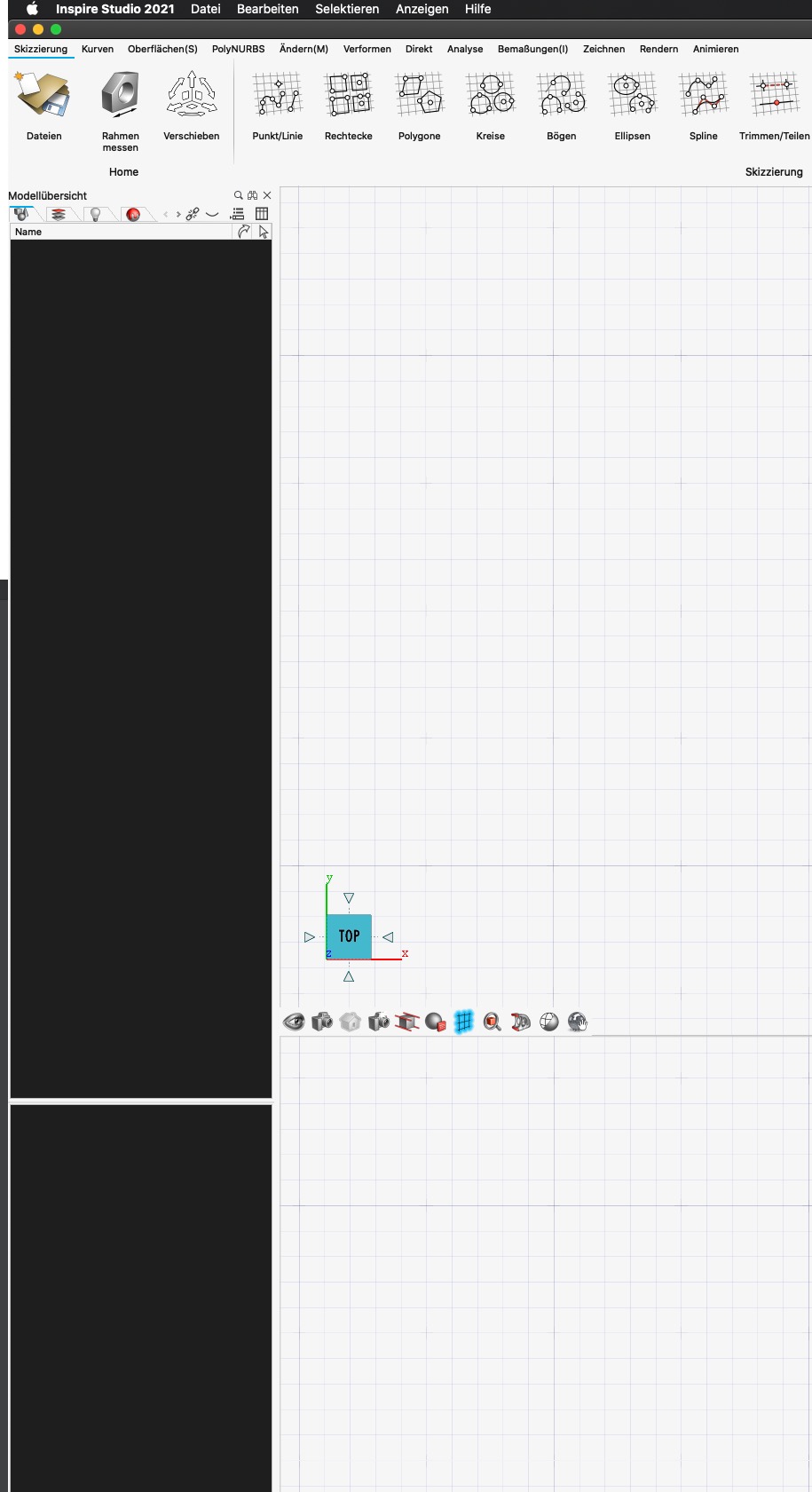
Hi, i'm newbee and i couldn't find a post for my problem: i want to know, why the model browser is black.
Best regards, Wolfgang
Hi,
how about your video card's drivers? are they updated?
Can you check?
Hi Adriano,
sorry, i forgot to post my Sys-Config. It's a Mac:
I think, with Mac you don't have problems with drivers.
Changing the Theme (and colours) has the same result. There is no possibility to change the browser colour. I tried a restart of the mac, but it's the same result
Hi Adriano, sorry, i forgot to post my Sys-Config. It's a Mac: MacBook Pro 16 (newest), 2,4 GHz 8-Core Intel Core i9 10.15.7 Catalina AMD Radeon Pro 5500M 8 GB (and Intel UHD Graphics 630 1536 MB) Open GL is on RAM 64GB. I think, with Mac you don't have problems with drivers. Changing the Theme (and colours) has the same result. There is no possibility to change the browser colour. I tried a restart of the mac, but it's the same result
I'm not so familiar to Mac, but even mac probably benefits from updated graphic drivers.
But is there any place where you can choose the Graphic Card to be used by each software.
Sometimes i've seen users struggling because their laptops were using the Intel Graphics instead of the dedicated one (Radeon in your case).
Can you double check this?
Ah, i know what you mean. I tried this, but the result is the same. It's really uncomfortable to work with this black browser. You can't see anything and you've to click in the browser and mark all lements to see what is there.
Join us for a community conversation on how High-Performance Computing (HPC) and Simcenter PSIM work together to meet the increasing demands of modern power electronics simulation. During this one-hour technical session, you'll discover how leveraging HPC can speed up simulations, improve scalability, and empower engineers…
Join us for a community conversation on accelerating your motor simulation workflow with Simcenter Simlab. In this beginner-friendly session, we'll introduce the platform's automated model-building capabilities and show how easy it is to set up your first electric motor analysis. You'll see the basic steps of geometry…
Join us for a Community Conversation where we'll discuss practical approaches to analyzing complex electromagnetic models using hybrid solver techniques. This session will provide a general overview of how different computational methods can be combined within a single simulation to address models containing varied…