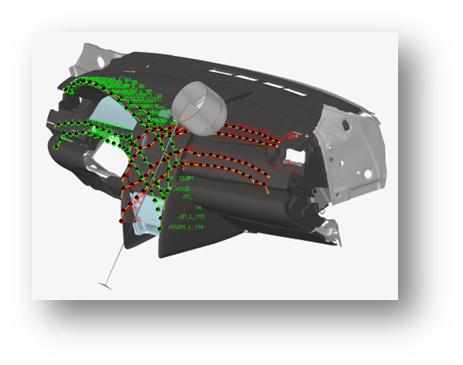
The aim of this article is to show case the steps involved for positioning the head form for interior IP Impact using HyperMesh version 2023 Safety tool.
Application
- Mainly used for positioning the head form for IP Impact regulation FMVSS 201 & ECE R21.
- Automatic creation of impact points on the testing area as per regulation.
- Import test lab impact locations from CSV data
- Automatic position of the head form impactor
- Automatic export of ready-to-run solver decks
- Automatic post-processing and reporting of the simulation results
- The tool supports Left- and Right-hand drive vehicles.
Pre- processor used:
- Altair HyperMesh version 2023
- It can used for both Radioss and LS-DYNA.
Positioning the head form for IP Impact
Post Processing the IP Impact Results
Conclusion
- Precision and repeatability of marking test zones & points
- Workflow for a user friendly and efficient process
- Multiple marking capabilities (automatic, manual, test-lab import data)
- Creation of Impact Points entities for ease of selection and visualization•Creation of construction lines and planes for controlling
- Marking on full IP is performed in few seconds•Export of all read-to-run solver decks is done in few minutes.
- Overall Injury Summary (Summary table listing Injury summary for all impact location).
- Overall Injury Map for all load cases.
- Detailed Report crated in few seconds
For details refer the attached documents attached below.