Custom functions written in Python or Compose OML can enhance your HyperStudy workflows by enabling more flexible response definitions. While HyperStudy is a code-free platform designed to handle simulation automation, that doesn't mean you lack the flexibility to add your own custom functions!
This guide shows you how to register these functions in HyperStudy and calculate your own Key Performance Indicators (KPIs) from simulation results.
There is also a tutorial video on the topic:
Using Compose or Python Functions Within HyperStudy
However, this article does not use any preference files for Python function registration, offering a more straightforward approach.
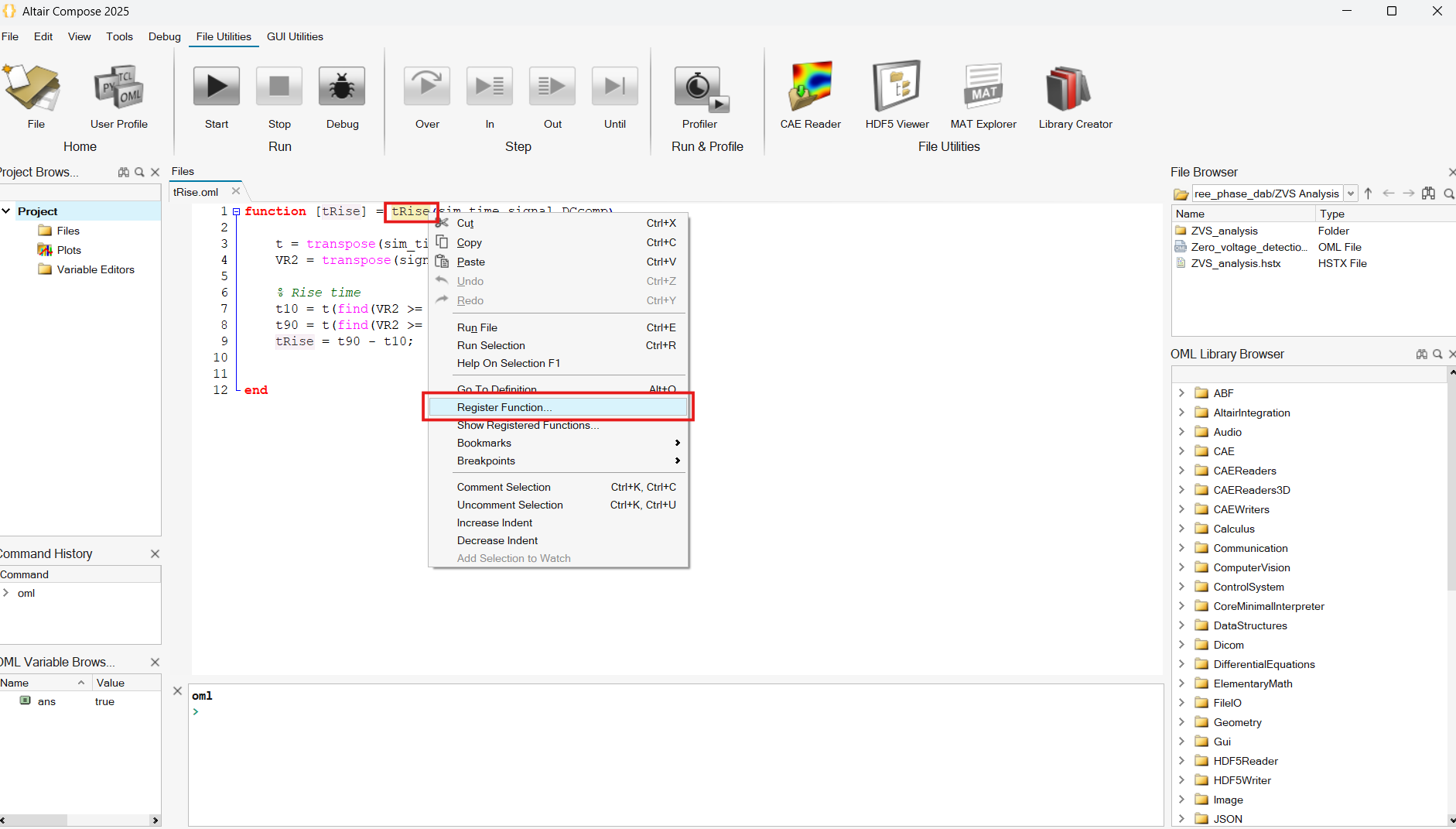
Register a function from Compose
- Open the script in Compose.
- Right-click on the function name.
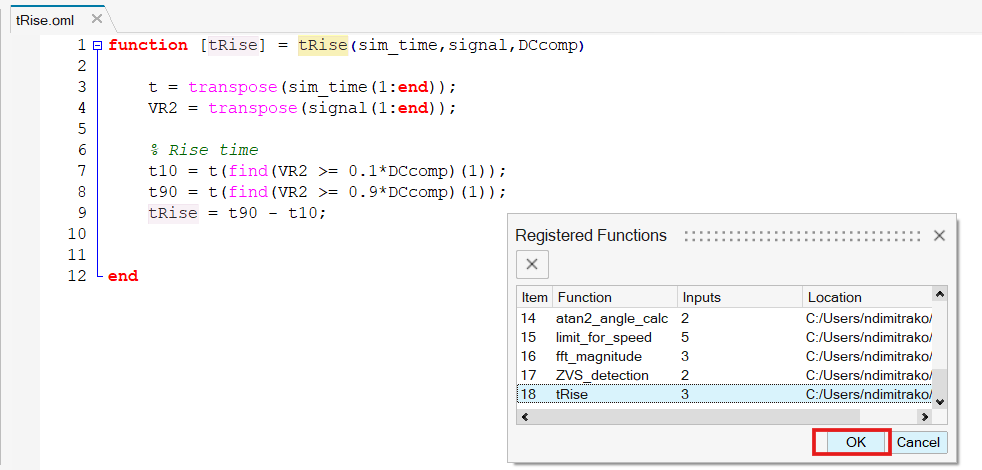
- Click “Register Function” to make it available in HyperStudy.
- Click "OK"
Note: If HyperStudy is already open while you register the function, you’ll need to restart it for the registration to take effect.
Register a function from Python
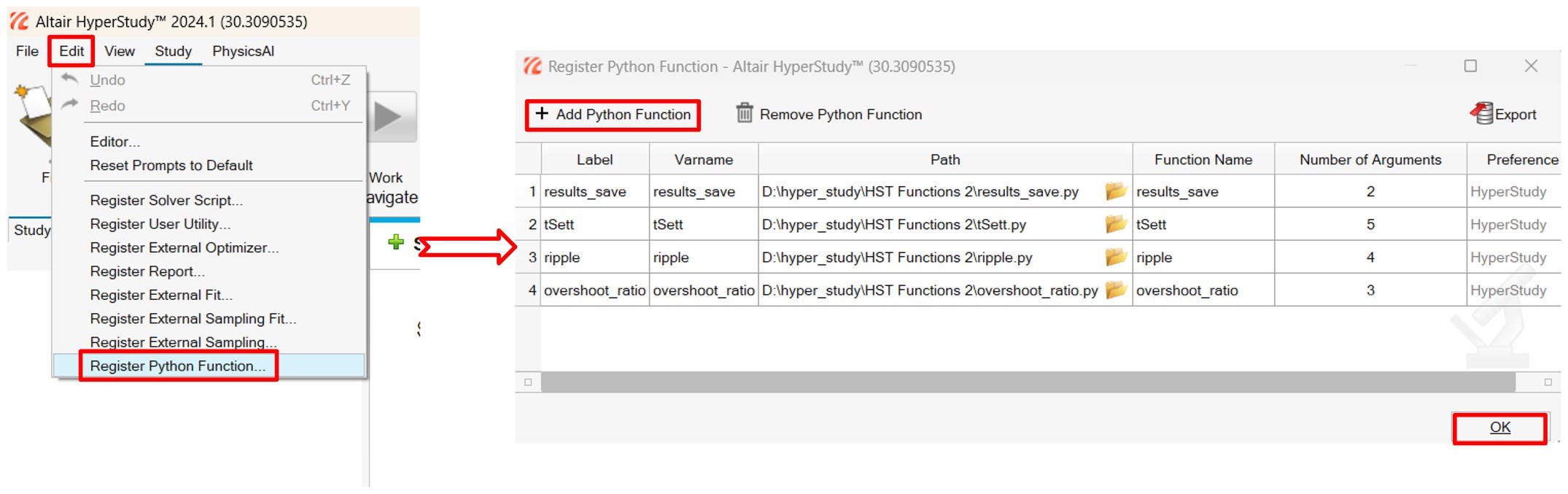
- Open HyperStudy.
- Go to Edit → Register Python Function.
- Browse and select your
.py file. - You can use the same name for "Label", "Varname" & "Function Name"
- Define the number of input arguments
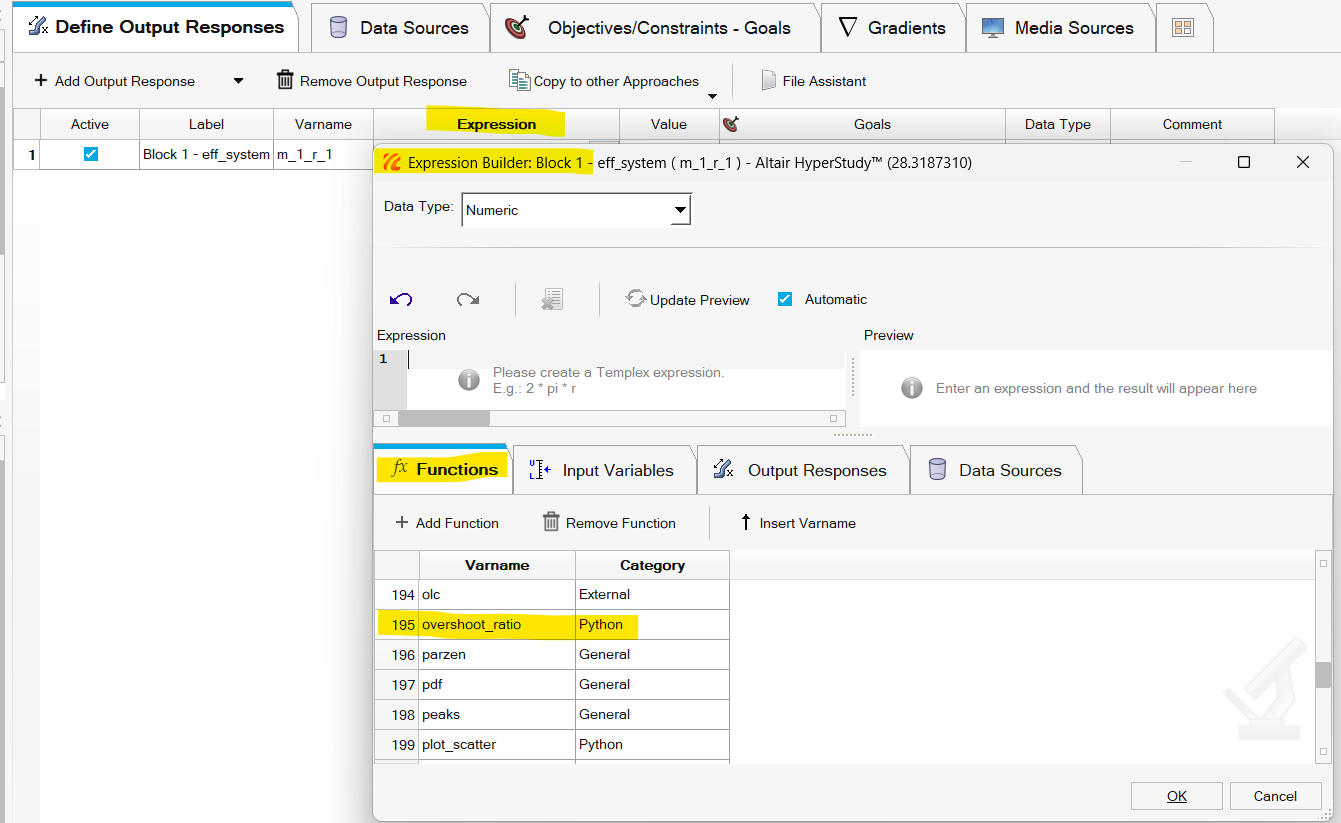
- The function will now be available in the expression builder under
Functions.
Note: For any changes made to the .py file, you will need to restart HyperStudy for those changes to take effect.

[Picture from VScode]
Functions used in these examples: