The Siemens Community Catalyst program was co-created with our community to acknowledge technology leaders who consistently contribute to the Siemens Community. Nominations are accepted on a rolling basis.
Hi all,
For a simulation that need to run in an ambient temperature e.g -18oC.
Where should I setting this physic? at 'Nodal_Initial_Condition' temperature or 'absolute temperature offset' at Problem description?
Thank you
Regards
Nodal Initial Temp would just be the 'starting' Tempertaure.
Offset would adjust all Temperature values entered in the input by the 'offset' value.
What you are most likely looking for is : Surface >Simple BC > Temperature BC Type > Flux > Convective heat flux reference Temperature.
You would also need to specify a relevant Convective Heat Flux Coefficient.
I would also add that it depends what kind of analysis you want to perform. If you want to perform a thermal analysis where you expect/want the temperatures to change as part of the analysis, you need to set appropriate boundary conditions. If you only want to run a flow analysis - and assume the temperature is constant throughout - you need to define your material properties to be consistent with your desired operating temperature.
Hi acupro I Have a similar problem as you mentioned above. I want to perform a thermal analysis where I expect/want the temperatures to change as part of the analysis.
My boundary condition is Surface >Simple BC > Temperature BC Type > Value > 250 C
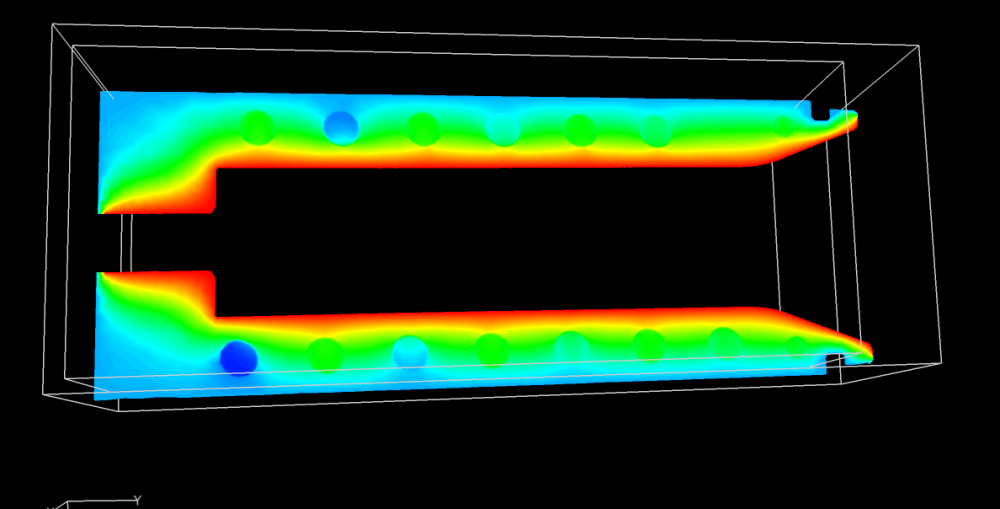
From the below picture it seems that the temperature is constant in the face throughout the simulation and it is not changing.
<?xml version="1.0" encoding="UTF-8"?>
If you assign a boundary condition it is by default constant for that surface. In your case, if you expect to observe a part cooling, then probably nodal initial condition is what you should be assigning to this volume.
Join us for a community conversation on how High-Performance Computing (HPC) and Simcenter PSIM work together to meet the increasing demands of modern power electronics simulation. During this one-hour technical session, you'll discover how leveraging HPC can speed up simulations, improve scalability, and empower engineers…
Join us for a community conversation on accelerating your motor simulation workflow with Simcenter Simlab. In this beginner-friendly session, we'll introduce the platform's automated model-building capabilities and show how easy it is to set up your first electric motor analysis. You'll see the basic steps of geometry…
Join us for a Community Conversation where we'll discuss practical approaches to analyzing complex electromagnetic models using hybrid solver techniques. This session will provide a general overview of how different computational methods can be combined within a single simulation to address models containing varied…