The Siemens Community Catalyst program was co-created with our community to acknowledge technology leaders who consistently contribute to the Siemens Community. Nominations are accepted on a rolling basis.
Dear All,
How far 2D element's normals is importance in Crash Analysis(Rollover Analysis)?
Thanks
Ram
Hi Ram,
From an analysis process point of view, there is no error. All of the calculations will be carried out properly. But at the time of post processing when viewing the results for 2-D elements, the software does not understand tension or compression. What it recognizes is the shell normal orientation. It is always advisable to have all shell normals aligned in one direction.
Dear George,
Thanks for your valuable reply , If the assembly has more components what will be the case?
Elements in the components are in different directions.
Kindly give ur valuable guidance,
RAM
For example consider the tubular section ,how the normals of the elements can be adjusted?
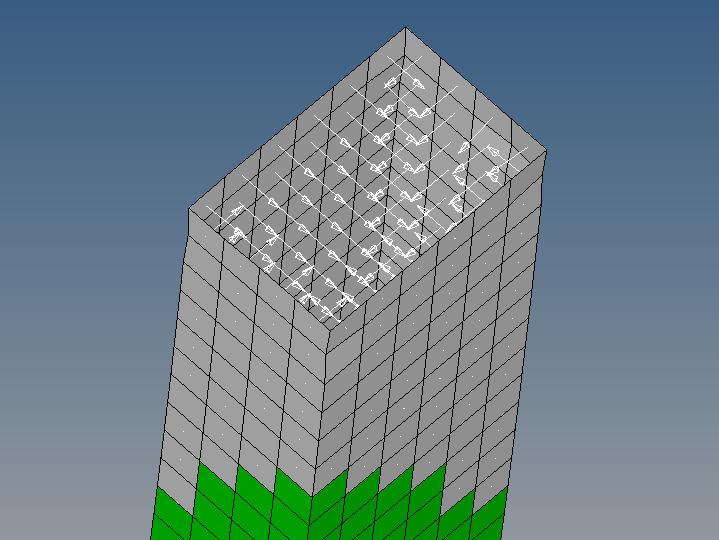
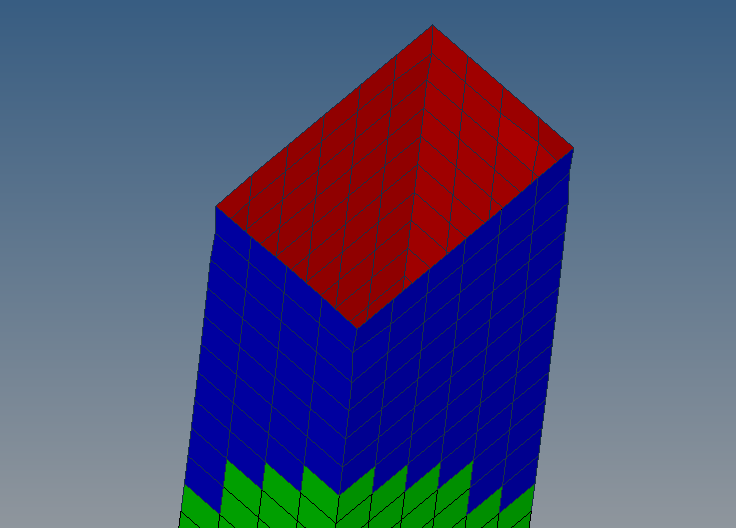
Please find the pics using vector display normal's and color display normals
<?xml version="1.0" encoding="UTF-8"?>
Typically all of the element normals of a part must point in a consistent direction.
From the Normals panel, from the Orientation select elements. From the graphics area, select an element and click Adjust. All of the elements will be adjusted to the normal of the element which you have selected.
You can refer Tutorial HM-3300: Checking and Editing Mesh where adjusting element normals is shown.
I had refereed the same tutorial.My doubt is elements in the same face can be adjusted as you said.
what about the elements in the perpendicular face to the other face?
how it can be adjusted ?
Can you please share the model file?.
Join us for a community conversation on how High-Performance Computing (HPC) and Simcenter PSIM work together to meet the increasing demands of modern power electronics simulation. During this one-hour technical session, you'll discover how leveraging HPC can speed up simulations, improve scalability, and empower engineers…
Join us for a community conversation on accelerating your motor simulation workflow with Simcenter Simlab. In this beginner-friendly session, we'll introduce the platform's automated model-building capabilities and show how easy it is to set up your first electric motor analysis. You'll see the basic steps of geometry…
Join us for a Community Conversation where we'll discuss practical approaches to analyzing complex electromagnetic models using hybrid solver techniques. This session will provide a general overview of how different computational methods can be combined within a single simulation to address models containing varied…