The Siemens Community Catalyst program was co-created with our community to acknowledge technology leaders who consistently contribute to the Siemens Community. Nominations are accepted on a rolling basis.
After run Radioss impact analysis, I do not know how to plot energy curves of impact analysis in SL?
I can use with HV/HG, I would like to know SL can do directly?
Hello Alpha
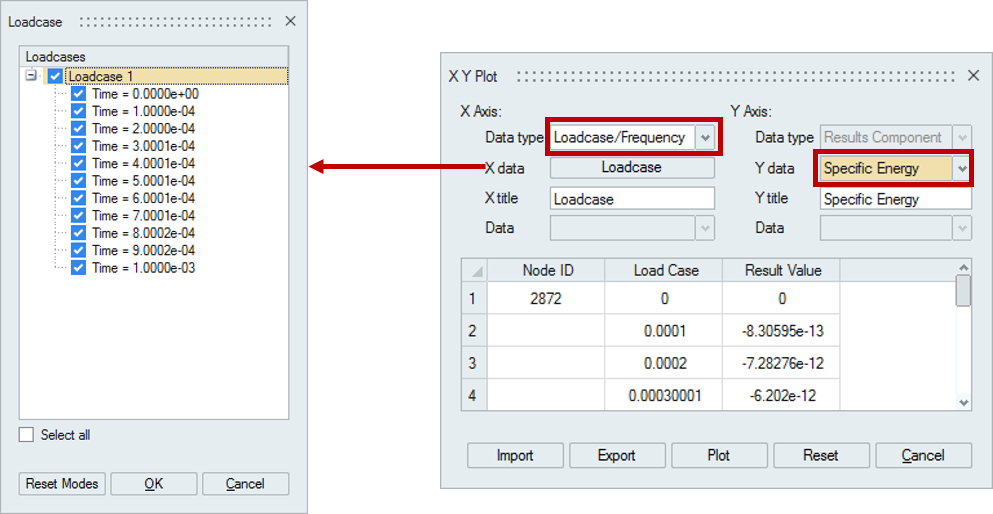
After running Radioss analysis you can plot the energy curves from the results in SimLab using the Plot tool from Results > Results > XY Plot.
Please follow the steps as follows using the XY Plot tool
1. Set the Data type as Loadcase/Frequency.
2. For X data select the Loadcase button. From the Loadcases sub dialog select the time steps of your choice.
3. For Y data select the results component as Specific Energy.
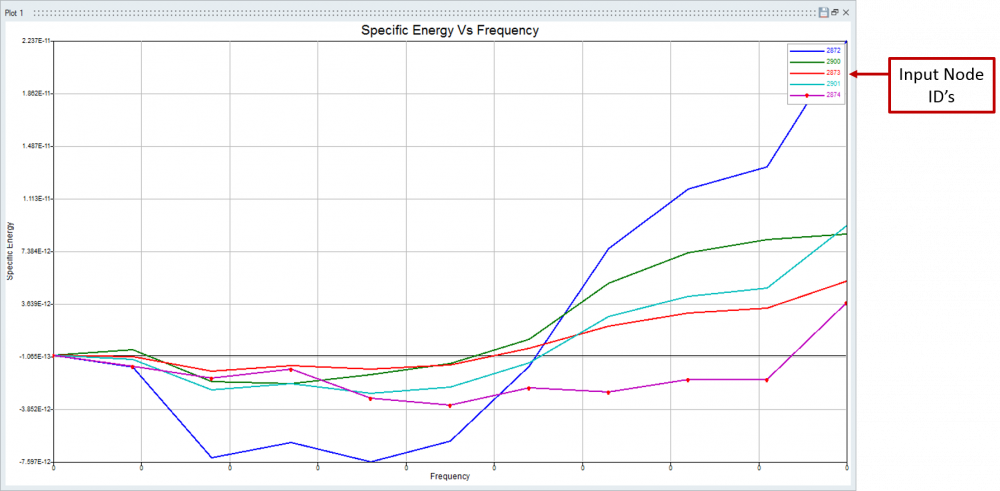
4. Select the nodes for which you want to plot the energy curve from the model and click plot.
<?xml version="1.0" encoding="UTF-8"?>
The energy curves are plotted for the selected nodes from the model in differentiating colors.
Kindly let us know if you face any difficulties.
Thanks & Regards
Nantha Kumar N
Thanks Nantha
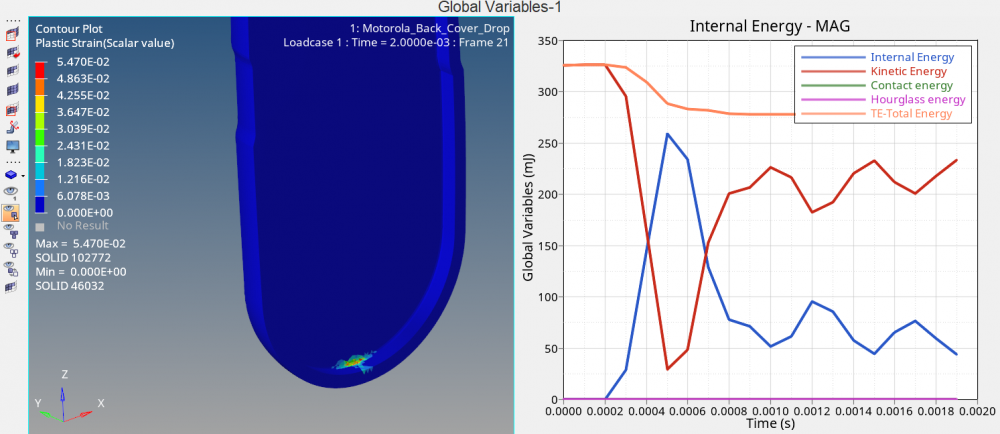
This is crash analysis (not frequency response), we usually plot kinetic/total/hourglass energy vs time (not vs frequency). This data is in T01 file.
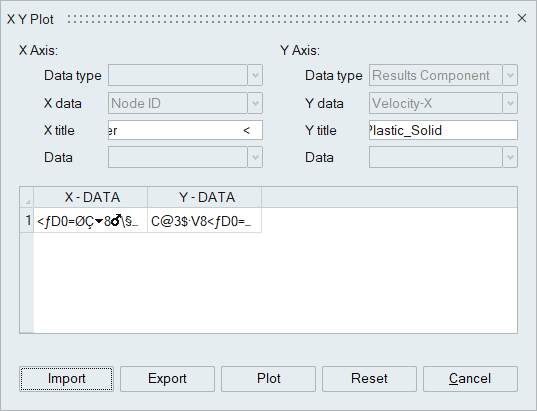
I think Simlab XY plot only can import *.csv file. T01 is binary file.
Transient animation result also need a lot of time to load. Very slow.
I think I should come back HV/HG for crash simulation and wait for future Simlab version.
Currently in SimLab we donot support importing of T01 file and plotting of energy curves using that file.
This support for plotting of energy curves using T01 files for Radioss Impact analysis will be supported in SimLab in the upcoming version.
Once supported we will let you know.
Join us for a community conversation on how High-Performance Computing (HPC) and Simcenter PSIM work together to meet the increasing demands of modern power electronics simulation. During this one-hour technical session, you'll discover how leveraging HPC can speed up simulations, improve scalability, and empower engineers…
Join us for a community conversation on accelerating your motor simulation workflow with Simcenter Simlab. In this beginner-friendly session, we'll introduce the platform's automated model-building capabilities and show how easy it is to set up your first electric motor analysis. You'll see the basic steps of geometry…
Join us for a Community Conversation where we'll discuss practical approaches to analyzing complex electromagnetic models using hybrid solver techniques. This session will provide a general overview of how different computational methods can be combined within a single simulation to address models containing varied…