The Siemens Community Catalyst program was co-created with our community to acknowledge technology leaders who consistently contribute to the Siemens Community. Nominations are accepted on a rolling basis.
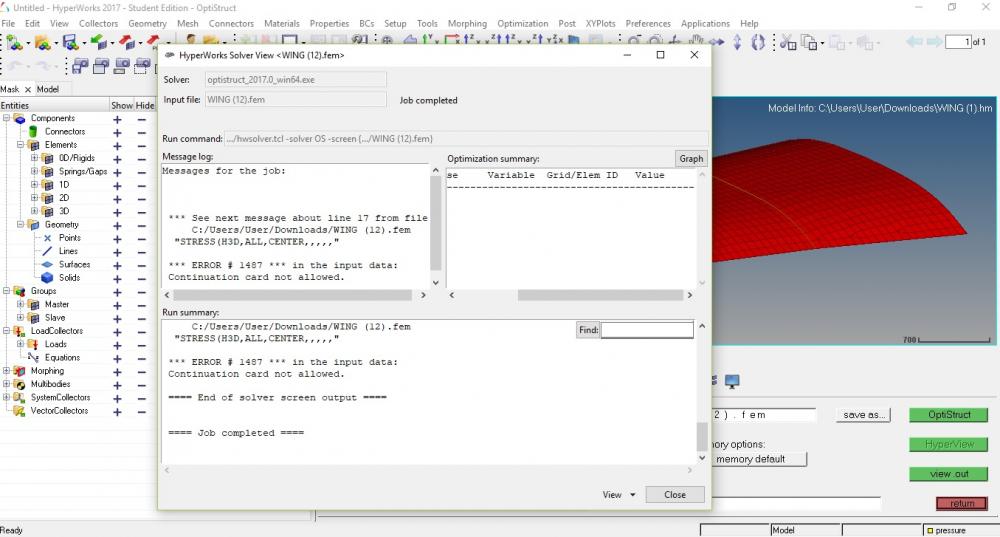
i have downloaded the model file of a wing for certification of optistruct analysis and since it was instructed to run . when i run i got the error shown in screenshot below. what changes should be done?
<?xml version="1.0" encoding="UTF-8"?>
Unable to find an attachment - read this blog
Hi @vishwask
Can you please this solver file instead?
The file is updated and available online.
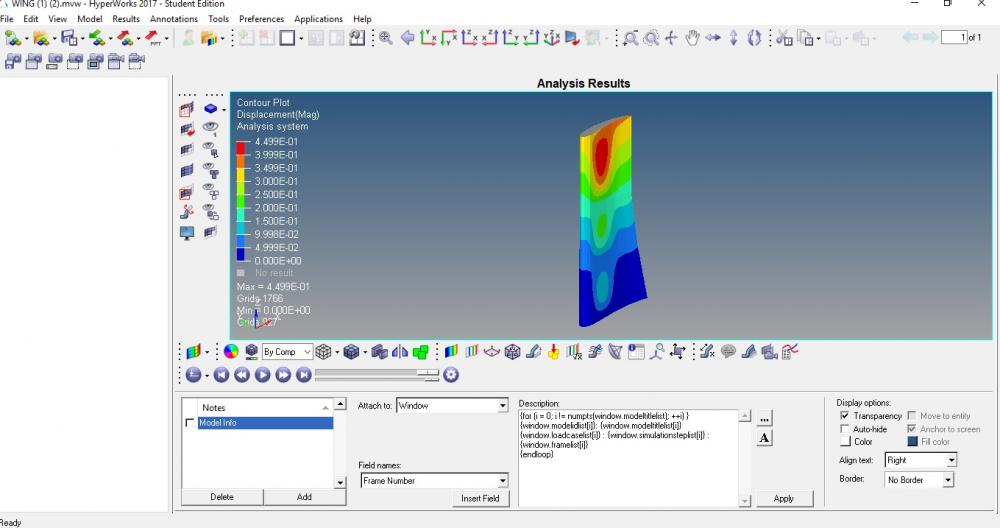
Thank you for helping. in 2017 student edition, when i opened the hyperview after running , the session and results tab are not displaying on left side of the page. how can i enable it?
@vishwask
Go to View browsers>> HyperWorks and select session to get sessions tab
similarly, go to HyperView and select results tab.
@vishwask Go to View browsers>> HyperWorks and select session to get sessions tab similarly, go to HyperView and select results tab.
Thank You for helping. I just want to know if there is an tutorial that explains basics of handling hyperworks including tools,parameters etc. Thanks in advance.
hyperworks including tools,parameters etc.
Could you please explain what you mean by parameters and tools?
not exactly tools but parameters. for examples like for control cards there are different options but i dont know the significance of those. Same case like when u r introduced to new software and what is significance of each tab or function and when it is used. Since i dont know much about hyperworks, i wanted to know if there is an tutorial that helps me go throughout the software
As you go on learning you will get introduced to cards, parameters etc... this is a way to start with.
If you want to more information about cards used and some theory, you can refer to the OptiStruct user guide and reference manual.
Join us for a community conversation on how High-Performance Computing (HPC) and Simcenter PSIM work together to meet the increasing demands of modern power electronics simulation. During this one-hour technical session, you'll discover how leveraging HPC can speed up simulations, improve scalability, and empower engineers…
Join us for a community conversation on accelerating your motor simulation workflow with Simcenter Simlab. In this beginner-friendly session, we'll introduce the platform's automated model-building capabilities and show how easy it is to set up your first electric motor analysis. You'll see the basic steps of geometry…
Join us for a Community Conversation where we'll discuss practical approaches to analyzing complex electromagnetic models using hybrid solver techniques. This session will provide a general overview of how different computational methods can be combined within a single simulation to address models containing varied…