The Siemens Community Catalyst program was co-created with our community to acknowledge technology leaders who consistently contribute to the Siemens Community. Nominations are accepted on a rolling basis.
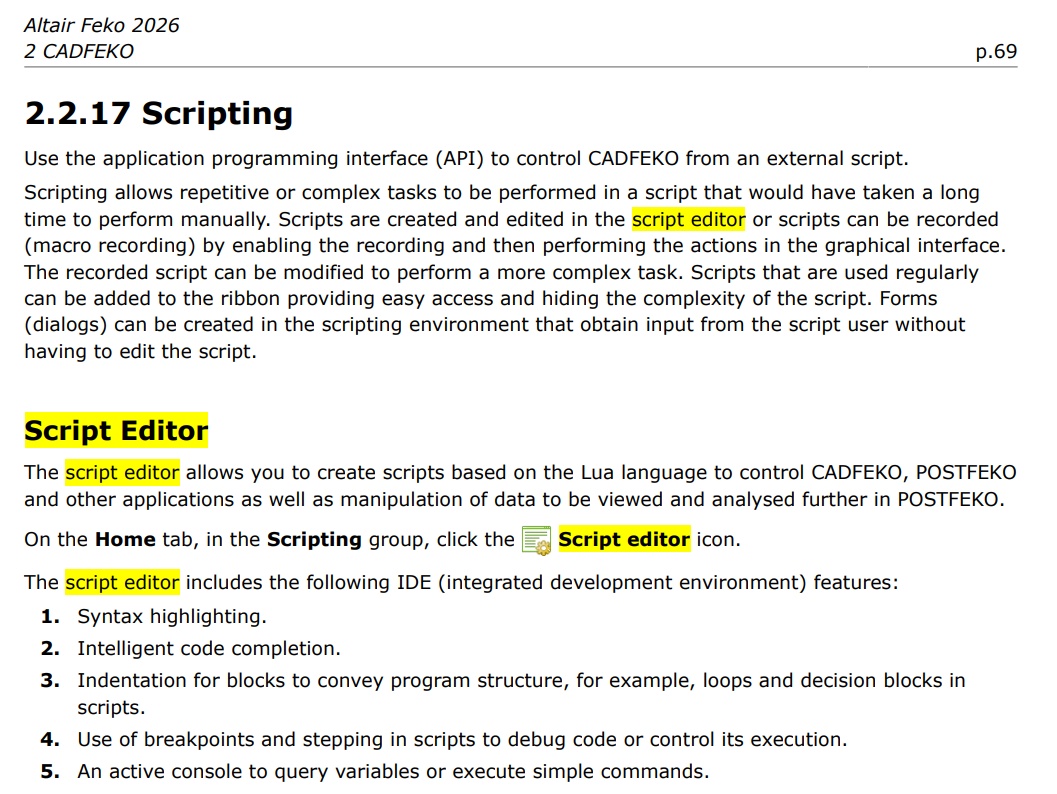
I am trying to run scripts on feko scripting interface and nothing happens. Can someone kindly assist on how to go about it?
Hi @Erique ,
I will run the simulations for you and provide the results (*.fek and *.bof). You can then export from POSTFEKO whatever you need.
Best regards, Torben
Here are the files: https://securefiletransfer.altair.de/link/y0N6Sx12BpxYrvayCq5pFd
Hello @Erique,
I think you can get some information regarding the "Script Editor" from the Feko user guide pages.
2. Script Editor in POSTFEKO
Best regards,
Jaehoon
If nothing happens when you run the script, it might be because the script has somehow gotten stuck in a loop that it can't get out of. Does this happen with multiple scripts or just one?
What happens if you run the attached script?
Dear Torben,
This particular script prints a geometry of six spheres shaped like a doll. My challenge is this, I am designing a printed lpda (100MHz - 2GHz) on FEKO both by drawing the geometry manually (script is also failed) and I keep getting 0dB in S11. When I replicate the design on CST, I get considerably better results with lower S11 being -8dB across that bandwidth. The problem with the project I am doing is that I can only do it with FEKO since we have the commercial licence here unlike CST. Does FEKO interpret printed LPDA differently? If not how do I go about doing this? I thought it was a port issue at first, but I have tried wire, waveguide and edge port printing the same outcome. In case, I can get assistance, I will highly appreciate it.
This particular design has top and bottom feed with fr4 substrate in between.
Could you attach the model, so I can have a look?
Hi @Torben Voigt
Here is the model for your review.
Regards.
It does not make sense to simulate the entire frequency range (100 MHz – 2 GHz) using just one solver. If MoM is used for the entire range, memory requirements and runtime are extremely high, since the mesh is based on the highest frequency and is therefore extremely fine for the low frequencies. Using MLFMM for the entire range would also be problematic, since the mesh would be extremely fine at the low frequencies.
It is common practice to split the frequency range. For example, I simulated the 100 MHz–800 MHz range using MoM and the 900 MHz–20 GHz range using MLFMM. Here are the results:
You may want to ckeck if the s11 at 100 MHz changes if you use double precision. The model is quite small for 100 MHz.
Excellent and thanks for your assistance. May I request full sweep results (s11 & farfield) across the entire frequency in .txt or .csv format for analysis for analysis if possible. The work is urgent and due to low computational power at my institution, the simulations will take me days/weeks.
Highly appreciated.