The Siemens Community Catalyst program was co-created with our community to acknowledge technology leaders who consistently contribute to the Siemens Community. Nominations are accepted on a rolling basis.
MotionSolveでSpring & Damperを設定する時、 StiffnessとDampingの数値を Linearで直接、設定した時と Curvesで、数値一定のグラフで設定した時で 結果が異なります。
Curvesで設定した時は、Spring先端のmassが 大きく移動してしまいます。
両者の違いは何でしょうか。
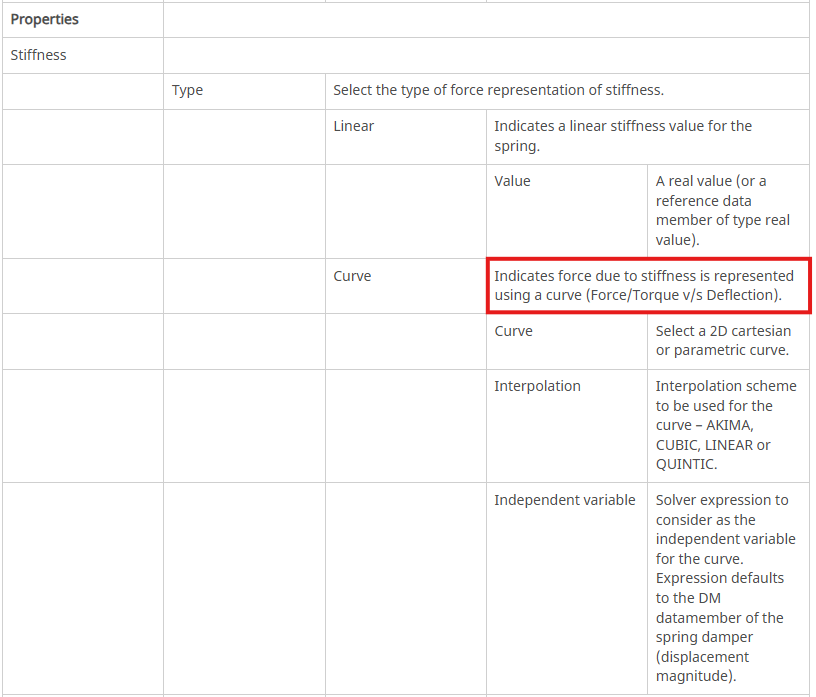
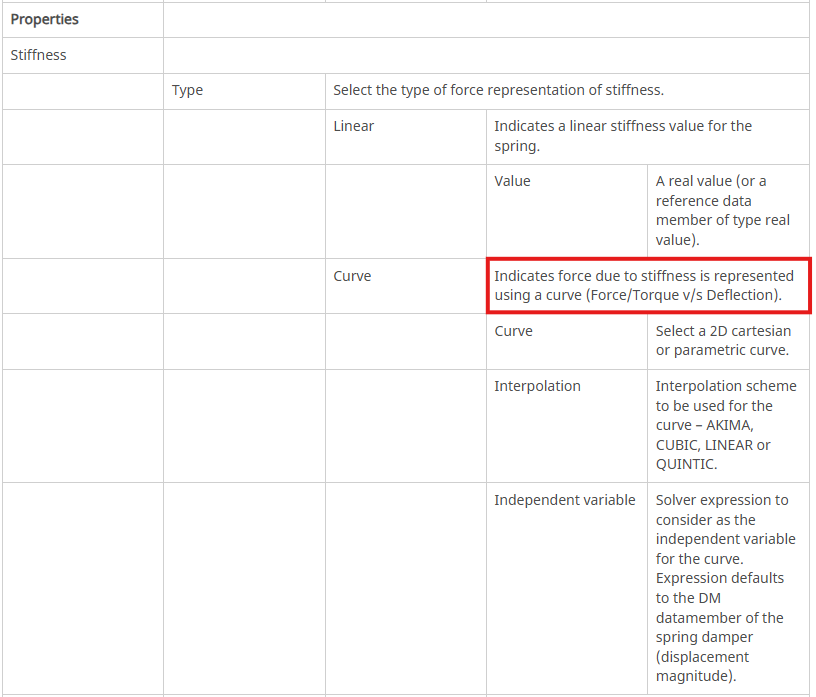
Hello @haruhiko, When setting a spring using a curve, the curve used for the spring's stiffness entity indicates the force due to stiffness. So the curve it's a force-displacement rather than stiffness-displacement.
Spring Dampers
Hope this helps! Best regards, Orestes
-1, 100 0,0 1,-100
のCurveのバネを、1kgのmassに付けましたが現象は変わりません。
Hello @haruhiko, these values seem a little weird as the stiffness value would be negative in this case. I would expect something like -1,-100 0,0 1,100 You could share the model if you want and I can give it a look as well. If you are using other files (CAD, csv etc) go to file→ export→ model and check archive and zip options. Then share the zip. Best regards, Orestes
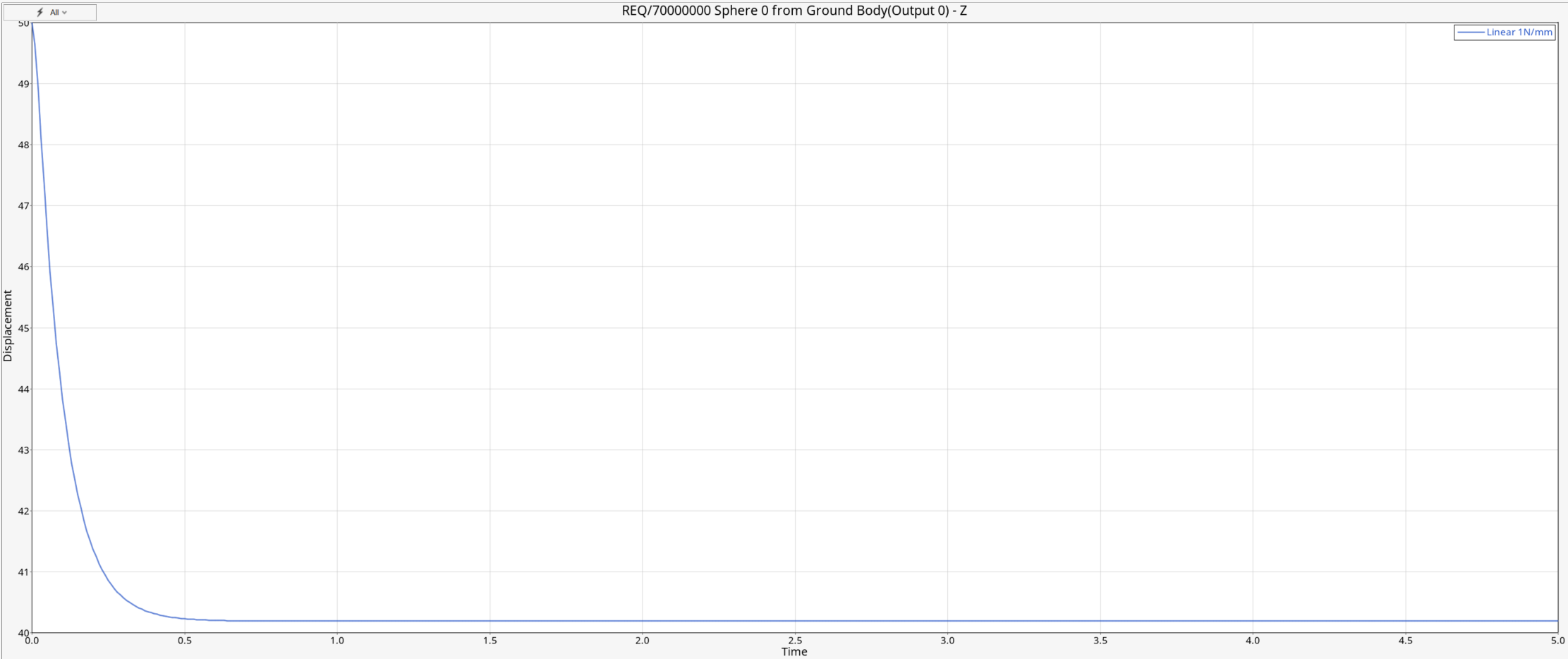
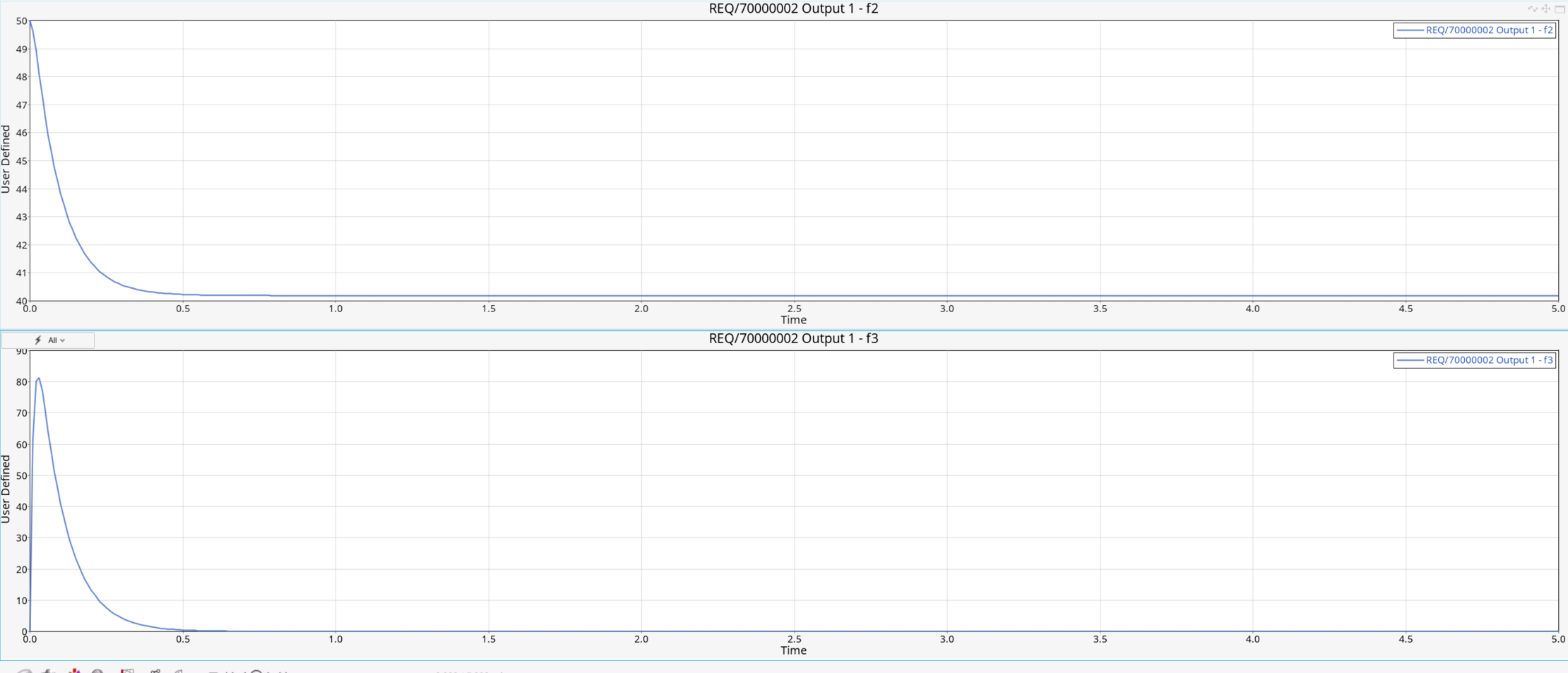
Hello @haruhiko, it depends actually how you've set the independent variable. It can be tricky so I created a demo model. I have used a sphere of 1kg at initial position (0,0,50). I have used a spring of stiffness 1N/mm and damping 0.1Ns/mm so it stabilizes to static equilibrium. Here are the results of the output.
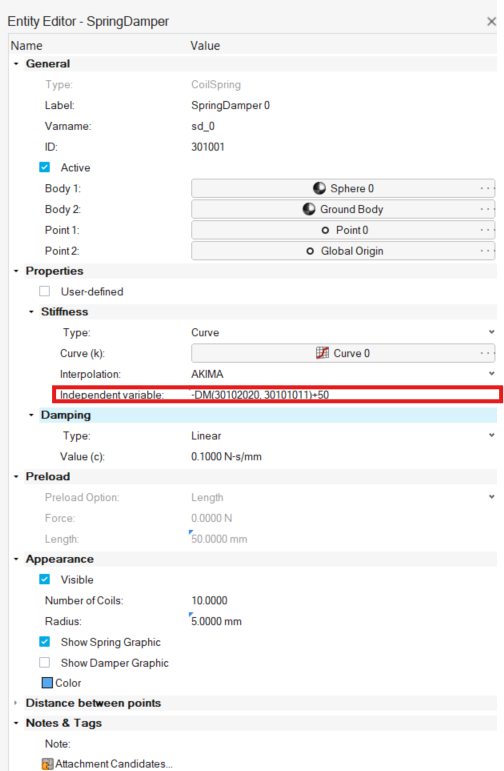
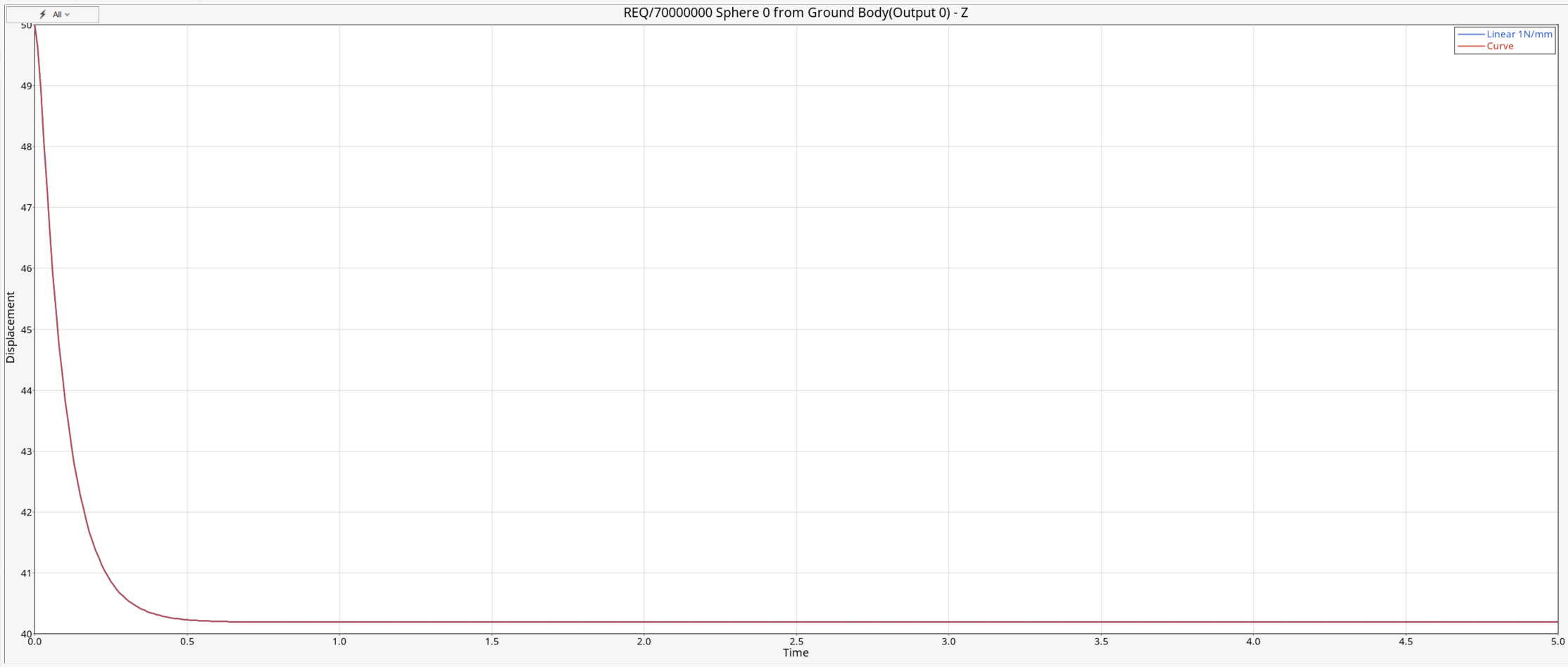
Now I replaced the stiffness linear with a curve with data points -1,-1 0,0 1,1 Here stiffness is again 1N/mm. The Independent variable I modified it to -DM()+50. Here 50 is the initial distance (length) of the spring so when using curve it needs to be included either as an offset on the curve or the independent variable. When using a curve for stiffness it accounts for the total force (spring and preload). In this specific model I used a minus to the variable and the offset.
When I run it now it has the same results as the original.
I've attached the model for reference.
-1,-100 0,0 1,100
でも同じです。
Independent variableに+lengthを追加すると、正しい計算になりました。 ありがとうございました。 しかし、自分がCurvesにしたいのはDampingのほうで、 そちらは、Independent variableを変更しても 挙動が正しく計算できませんでした。
Hello @haruhiko, for the damping you should leave it as is. It doesn't need an offset. Previous one needed an offset because DM function calculates the relative distance of two markers (here the markers at the end of the springs) therefore it starts with an initial offset. Similarly VR calculates the relative velocity but this already starts form zero so there is no reason to change that variable. Below I have two plots from the mass-spring-damper model. The first one is DM. As you can see it starts from 50 that's why we need to offset either the independent variable or the curve we are using. The second one is VR and it starts from zero.
dampingの場合、offsetをつけなくても計算できることは確認しました。 ただし、デフォルトの式のVRの前のマイナス符号を消す必要がありました。 Springの場合も同じで、DMの符号を逆にする必要がありました。
Hello @haruhiko, it depends of course on the way you've set up the curve. Best regards, Orestes
下のマニュアルがどこにあるか教えてください。 ダンパに関する記述が読みたいです
Hello @haruhiko, it's located in MotionView documentation. You can access it either from community page in documentation tab or even within MotionView from File→ Help→ Documentation. There you can find everything under section Multibody modeling in MotionView. Here is the specific documentation for Spring Dampers. Hope this helps! Bets regards, Orestes
Join us for a community conversation on how High-Performance Computing (HPC) and Simcenter PSIM work together to meet the increasing demands of modern power electronics simulation. During this one-hour technical session, you'll discover how leveraging HPC can speed up simulations, improve scalability, and empower engineers…
Join us for a community conversation on accelerating your motor simulation workflow with Simcenter Simlab. In this beginner-friendly session, we'll introduce the platform's automated model-building capabilities and show how easy it is to set up your first electric motor analysis. You'll see the basic steps of geometry…
Join us for a Community Conversation where we'll discuss practical approaches to analyzing complex electromagnetic models using hybrid solver techniques. This session will provide a general overview of how different computational methods can be combined within a single simulation to address models containing varied…