The Siemens Community Catalyst program was co-created with our community to acknowledge technology leaders who consistently contribute to the Siemens Community. Nominations are accepted on a rolling basis.
Hi, I am using EDEM 2025 and Inspire 2025.
I have a model that consists of many different parts in Inspire, when I then import the model into EDEM it becomes many different "geometries". This is a problem since I want to use this model in an optimization like this:
Since the model is imported into different geometries the motion wont move all of them together. Is there a way to group them so EDEM import it as only one geometry?
BR
Just to clarify the tree in Inspire looks like this:
and I am exporting it as a STL file.
Hello @Karl_H, there is an option to merge geometries in Inspire by using the boolean tool.
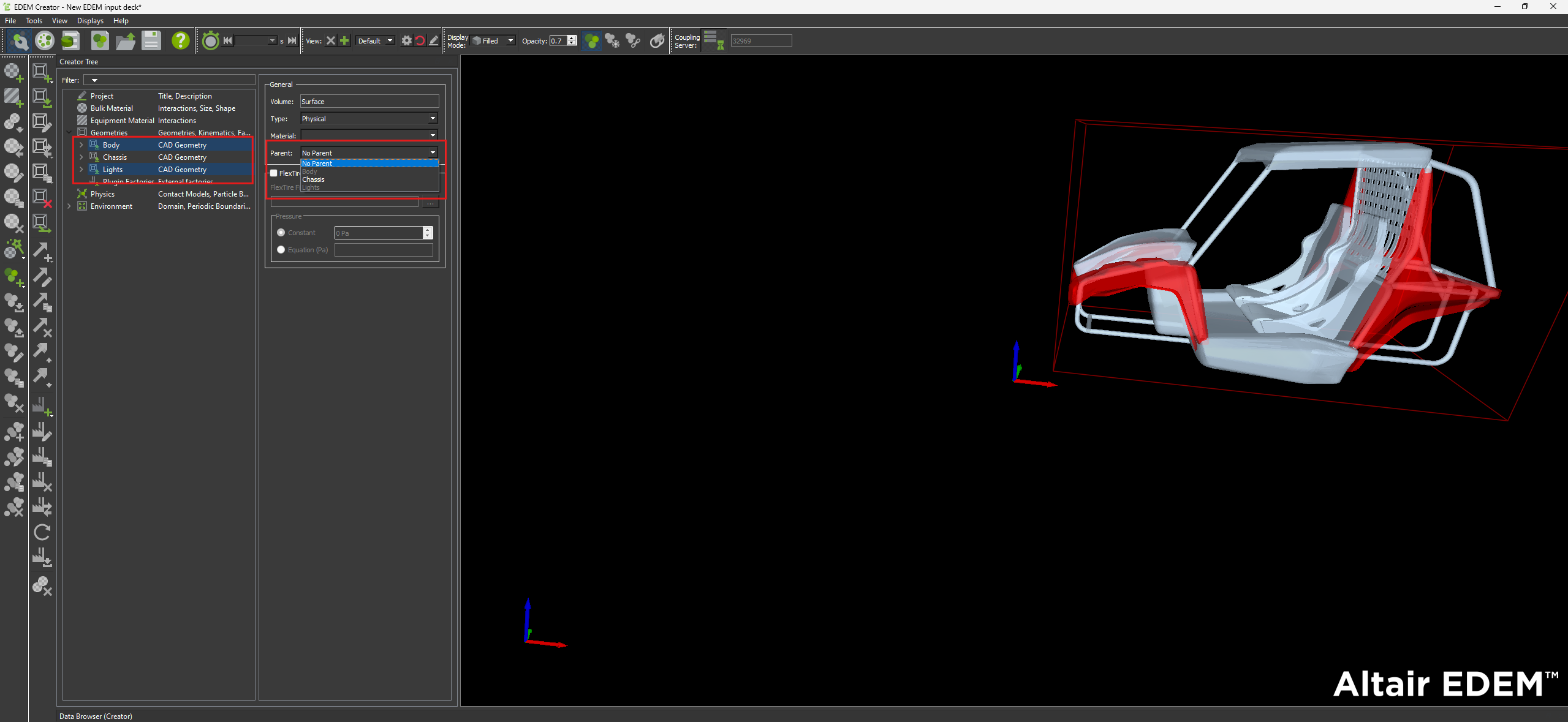
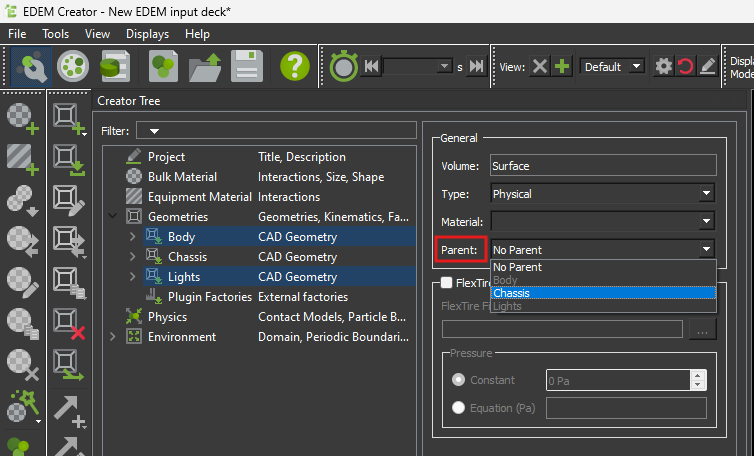
Although in this way the combined geometry will lose it's parametrization as all entities will become one. I would suggest to do that on EDEM side. When you are importing all the geometries you have the option of defining parent body.
In this way you can assign all geometries to one parent body which will be the one you are applying the motions to. The rest should move as the are fixed to it. Hope this helps! Best regards, Orestes
Thank you for the answer! I will use this later in Hyperstudy to optimize the geometry, so I will not be able to do it manually but I found a more in depth video that shows an example to combine the parts to a STL file.
Join us for a community conversation on how High-Performance Computing (HPC) and Simcenter PSIM work together to meet the increasing demands of modern power electronics simulation. During this one-hour technical session, you'll discover how leveraging HPC can speed up simulations, improve scalability, and empower engineers…
Join us for a community conversation on accelerating your motor simulation workflow with Simcenter Simlab. In this beginner-friendly session, we'll introduce the platform's automated model-building capabilities and show how easy it is to set up your first electric motor analysis. You'll see the basic steps of geometry…
Join us for a Community Conversation where we'll discuss practical approaches to analyzing complex electromagnetic models using hybrid solver techniques. This session will provide a general overview of how different computational methods can be combined within a single simulation to address models containing varied…