The Siemens Community Catalyst program was co-created with our community to acknowledge technology leaders who consistently contribute to the Siemens Community. Nominations are accepted on a rolling basis.
Tried Googling for this as well as help in HM but is there way to specify DOFs for RBE3 Independent Nodes using GUI (RBE3 panel)? I know one can set Dependent Nodes DOFs but not able to do the similar actions for Independent nodes.
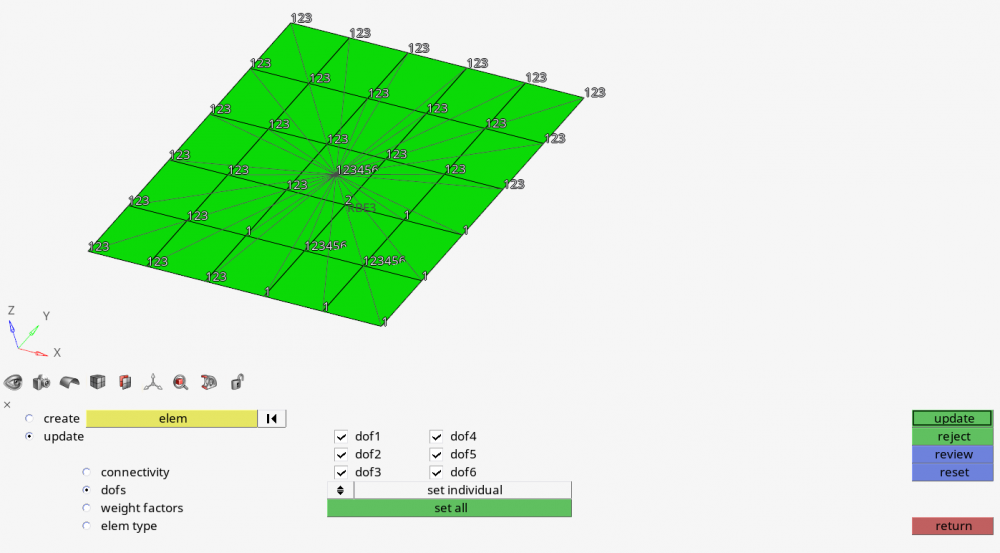
you should use this carefully, but yes, you can do it the same way for both depedent and independent, using the update option under RBE3 panel, if you're using HM Desktop or HWX with panels.
Go to update, click in your RBE3, and then you can choose 'dofs'.
From now, you have 2 options:
1- set individual >> you click in any node (including dependent) and it will be set to the DOFs checked in the GUI.
2- set to type >> you click a node and then type in the screen the desired dofs '123', '123456'...
Don't forget to click 'update' at the end.
<?xml version="1.0" encoding="UTF-8"?>
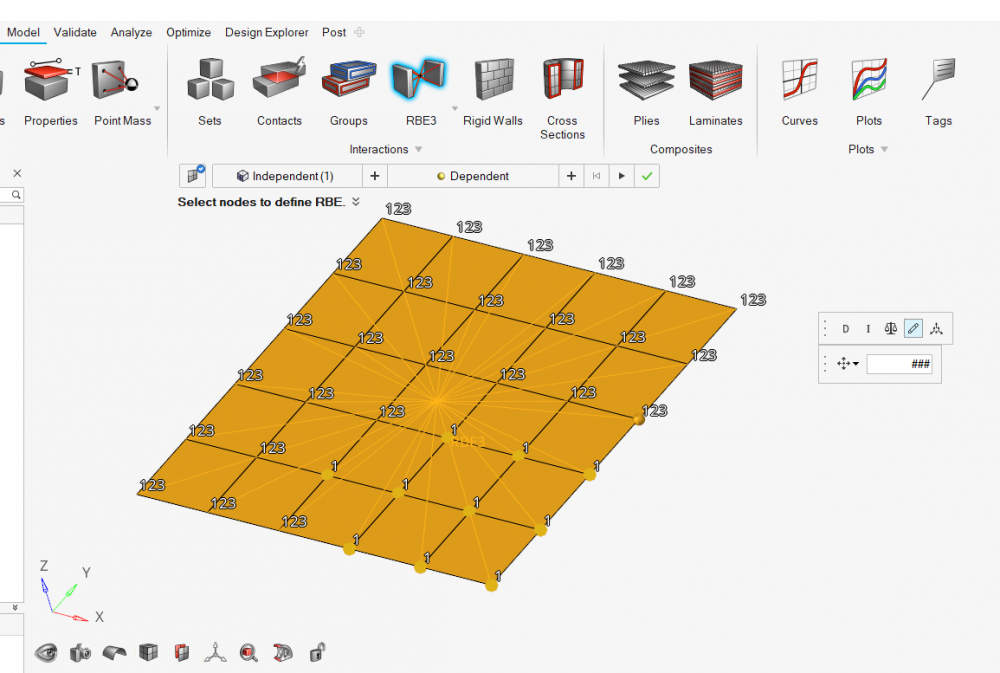
If you're using HWx 2020, it is very intuitive, through the GUI, and you can click in a bunch of nodes and change them at once.
Thanks Adriano for your reply. I wish HM/HW makes it more simpler to modify or select DOFs of both independent & dependent nodes of RBE3 during creation process itself. A drop down menu like 'Advanced' can be provided for modifying Independent nodes DOFs to ensure users know what they are doing.
if you download the HWx2020 you might give it a try in the new creation/edit methods.
DEV has invested a good time in renewing the GUI for RBEs, as you can see in the post above.
Join us for a community conversation on how High-Performance Computing (HPC) and Simcenter PSIM work together to meet the increasing demands of modern power electronics simulation. During this one-hour technical session, you'll discover how leveraging HPC can speed up simulations, improve scalability, and empower engineers…
Join us for a community conversation on accelerating your motor simulation workflow with Simcenter Simlab. In this beginner-friendly session, we'll introduce the platform's automated model-building capabilities and show how easy it is to set up your first electric motor analysis. You'll see the basic steps of geometry…
Join us for a Community Conversation where we'll discuss practical approaches to analyzing complex electromagnetic models using hybrid solver techniques. This session will provide a general overview of how different computational methods can be combined within a single simulation to address models containing varied…