The Siemens Community Catalyst program was co-created with our community to acknowledge technology leaders who consistently contribute to the Siemens Community. Nominations are accepted on a rolling basis.
hey guys,
i installed hyperworks student edition and i want to simulate a beam stress analysis but when i got to the step of adding loads i didn't find pressure nor fixed options in fact many options are missing is this the way it is ? any help ?
Hello,
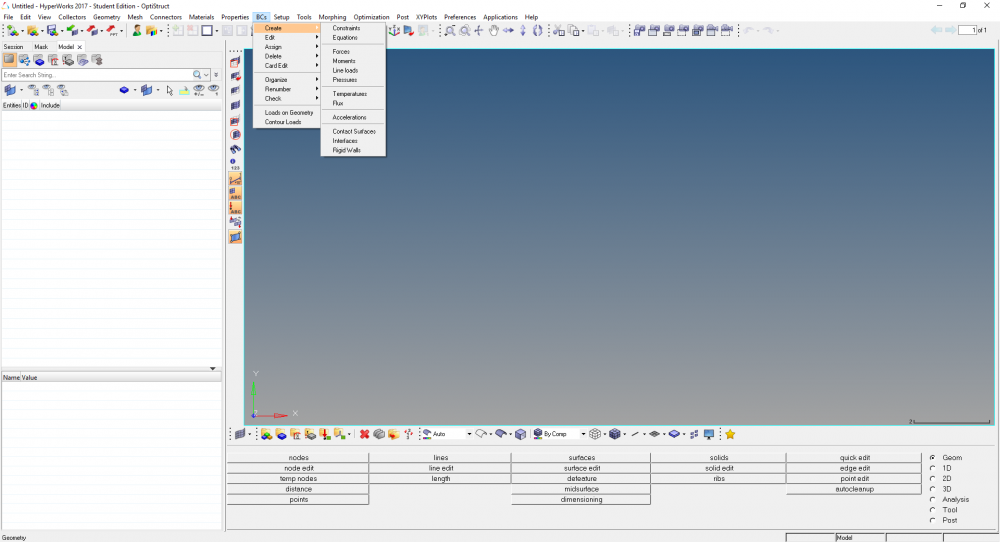
You can add Pressure and Constraints from the Analysis Page. Please refer the below picture.
<?xml version="1.0" encoding="UTF-8"?>
What version of student edition are you using?
Thankyou
I'm using the latest version 2017, those options aren't available no constraints, forces,moment,pressure and others more
Can you please tell me if you can setup the loads from the menu 'Setup' as shown below.
nope, only rigid walls contact surfaces and equation are shown
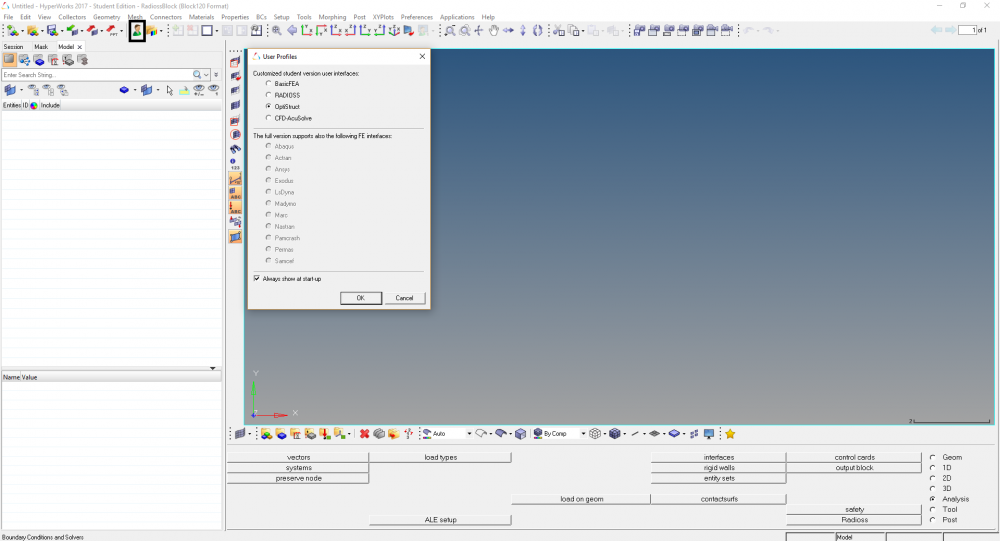
You are in the wrong user profile. You are in RADIOSS profile.
Please change your user profile to OptiStruct from the option as shown in below image.
YES i was ( i'm still new to the software my bad ) thank you so much Sanjay
Join us for a Community Conversation where we'll discuss practical approaches to analyzing complex electromagnetic models using hybrid solver techniques. This session will provide a general overview of how different computational methods can be combined within a single simulation to address models containing varied…
Join us for a community conversation to explore how different modeling approaches in Simcenter PSIM can help engineers simulate power electronics systems while balancing accuracy, simulation speed, and design insight. What you'll learn: Power transistor modeling : Thermal and high fidelity models Protection component…