The Siemens Community Catalyst program was co-created with our community to acknowledge technology leaders who consistently contribute to the Siemens Community. Nominations are accepted on a rolling basis.
Hi! I am really new to this software and facing a lot of issues. I am currently performing size optimization on my model but it is showing some error. I read online that if I choose PSEHLL as my property it should cancel the error but it's not working. Please help I have attached my model file in this message.
Unable to find an attachment - read this blog
Hi,
The errors are due to: -the shell property has no thickness defined (T field) -the moment load has no grid/gridset definition
If you are new to finite element analysis I recommend you go through: Free eBook: Practical Aspects of Finite Element Analysis
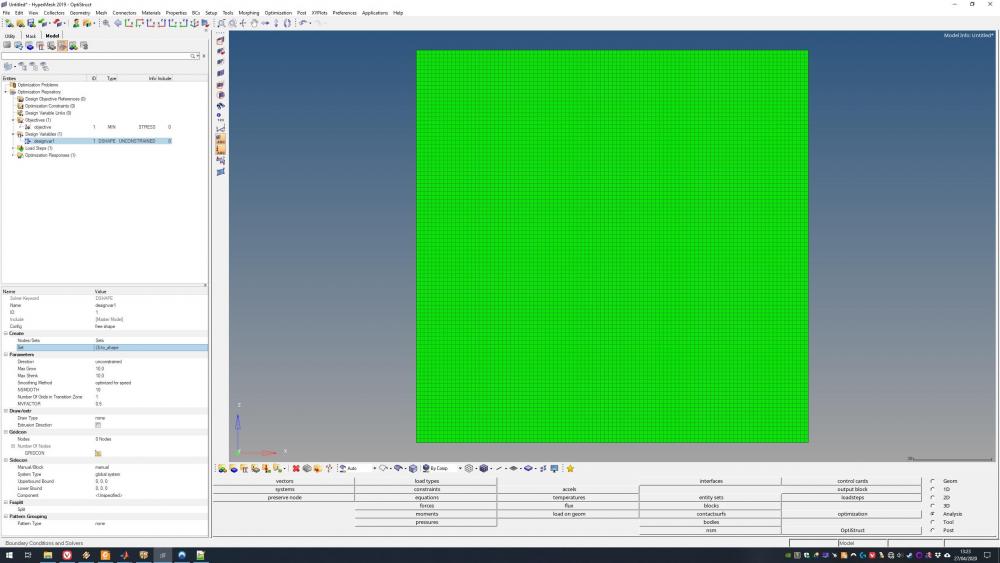
Hi, I have a similar error in a free shape optimization:
*** See next message about line 55 from file: F:/Temp/Optistruct/shapetest/HM19.fem (this is continuation line 2 of DSHAPE,1 bulk data) '+ GRID ID 0' *** ERROR # 1000 *** in the input data: Incorrect data in field # 4.
A simple analysis runs perfectly fine and I don't know where this error comes from exactly. When looking at the section in the input file:
$HMNAME DESVARS 1designvar1 DSHAPE 1 + PERT BOTH 0.5 10 10.0 10.0 1 1 + GRID ID 0
I defined the nodes to be optimized as a set which has the ID 3, however in the input file this is not represented correctly! When importing the same input file for testing, an error message shows up:
Warning: No grids are defined for DSHAPE with id 1 Resolution: This may result in incorrect definition. Summary:Feinput finished with 0 errors and 1 warnings.
When I manually change the DSHAPE section to reference the node set 3 and start Optistruct as standalone instance, it asks for a design objective reference to proceed with a minmax problem, which is not what I defined. What's going on here?
<?xml version="1.0" encoding="UTF-8"?>
EDIT: I found out why this was the case. I read somewhere in the HM files that you should use the menu on the lower part of the screen instead of the model tree on the left and it worked now!
Join us for a community conversation on how High-Performance Computing (HPC) and Simcenter PSIM work together to meet the increasing demands of modern power electronics simulation. During this one-hour technical session, you'll discover how leveraging HPC can speed up simulations, improve scalability, and empower engineers…
Join us for a community conversation on accelerating your motor simulation workflow with Simcenter Simlab. In this beginner-friendly session, we'll introduce the platform's automated model-building capabilities and show how easy it is to set up your first electric motor analysis. You'll see the basic steps of geometry…
Join us for a Community Conversation where we'll discuss practical approaches to analyzing complex electromagnetic models using hybrid solver techniques. This session will provide a general overview of how different computational methods can be combined within a single simulation to address models containing varied…